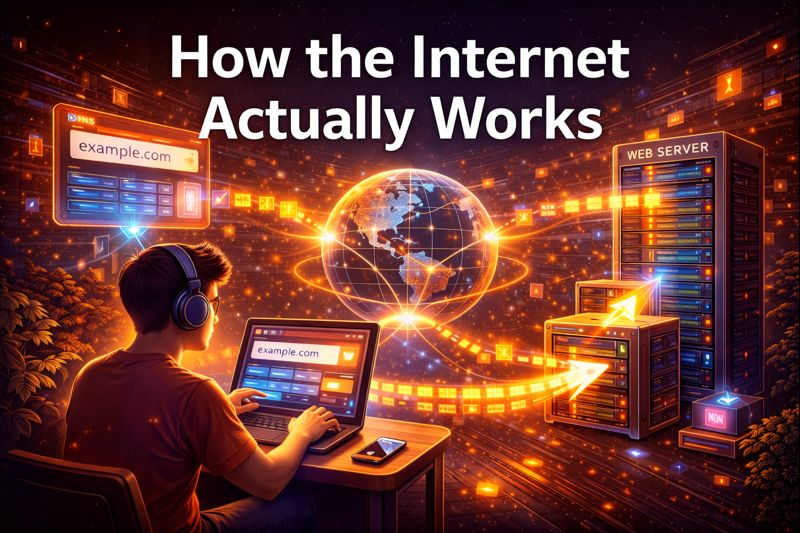
Every day, we click links, open apps, and scroll through websites without thinking about what happens behind the scenes. A page shows up almost immediately, a video starts playing, or a message travels across the world in seconds. It seems simple. It’s not.
The internet isn’t just one location or machine. It’s a huge system of computers, cables, servers, and protocols that work together to move information from one place to another. To understand how it operates, we need to break down what really goes on in the moments between entering a web address and seeing a page load on your screen.
Step 1: Typing a URL
It all begins when you type a web address, like example.com, into your browser and press Enter. Your computer doesn’t know what “example.com” is. Computers don’t recognize names; they recognize numbers.
So the first step is to find the numerical address, known as an IP address, that corresponds to that website.
Step 2: DNS Finds the Address
To do this, your computer reaches out to the Domain Name System, or DNS. DNS functions like the internet’s phone book. It takes a friendly name and converts it into an IP address, such as 93.184.216.34.
This lookup usually happens quickly because your device, your router, or your internet provider may have the answer on file. If not, the request travels through a series of DNS servers until the correct address is found and sent back.
Once your computer has the IP address, it knows where to send the request.
Step 3: Talking to the Server
Now your browser sends a request to the server that hosts the website. This request travels as small pieces of data called packets. These packets move across networks, routers, and undersea cables, jumping from one system to another until they reach the server.
The server receives the request and replies by sending back the data needed to build the webpage. This data may include HTML files, images, fonts, stylesheets, and scripts.
Step 4: Data Travels Back in Pieces
The response doesn’t come in one large file. It arrives in many packets, often out of order. Your computer collects all of them, checks for errors, and reassembles them correctly.
This process is managed by internet protocols like TCP, which ensures no data is missing, and IP, which handles addressing and routing. If packets are lost, they are automatically requested again.
Step 5: The Browser Builds the Page
Once the data arrives, your browser gets to work. It reads the HTML to understand the page’s structure, applies CSS for styling, and runs JavaScript for interactivity. Images and other resources load, sometimes from different servers.
All of this happens in stages, which is why you often see text appearing before images or buttons becoming clickable. The page isn’t showing up all at once. It’s being built piece by piece.
Why Speed Varies
Sometimes pages load right away. Other times they take time. This depends on several factors: how far away the server is, how busy it is, how fast your connection is, and the size of the page. Content delivery networks, or CDNs, help by storing copies of websites closer to users around the world, which cuts down on travel time for data.
The Big Picture
What feels like a single action is really a carefully coordinated exchange between your device and machines spread across the globe. Every click relies on protocols, infrastructure, and systems designed to handle billions of requests every second.
The internet works because of collaboration. Different companies, networks, and technologies follow common rules that allow data to move smoothly, even when crossing countries, oceans, and continents. That unseen complexity is what makes the modern web feel easy.
Sources
- Khan Academy. Internet 101: DNS, HTTP, and TCP/IP
https://www.khanacademy.org/computing/computer-science/internet-intro - Cloudflare Learning Center. How the Internet Works
https://www.cloudflare.com/learning/ - Mozilla Developer Network (MDN). How the Web Works
https://developer.mozilla.org/en-US/docs/Learn/Getting_started_with_the_web/How_the_Web_works - Kurose, J. F., & Ross, K. W. Computer Networking: A Top-Down Approach
https://gaia.cs.umass.edu/kurose_ross/online_lectures.htm - Internet Society. A Brief History of the Internet
https://www.internetsociety.org/internet/history-internet/brief-history-internet/