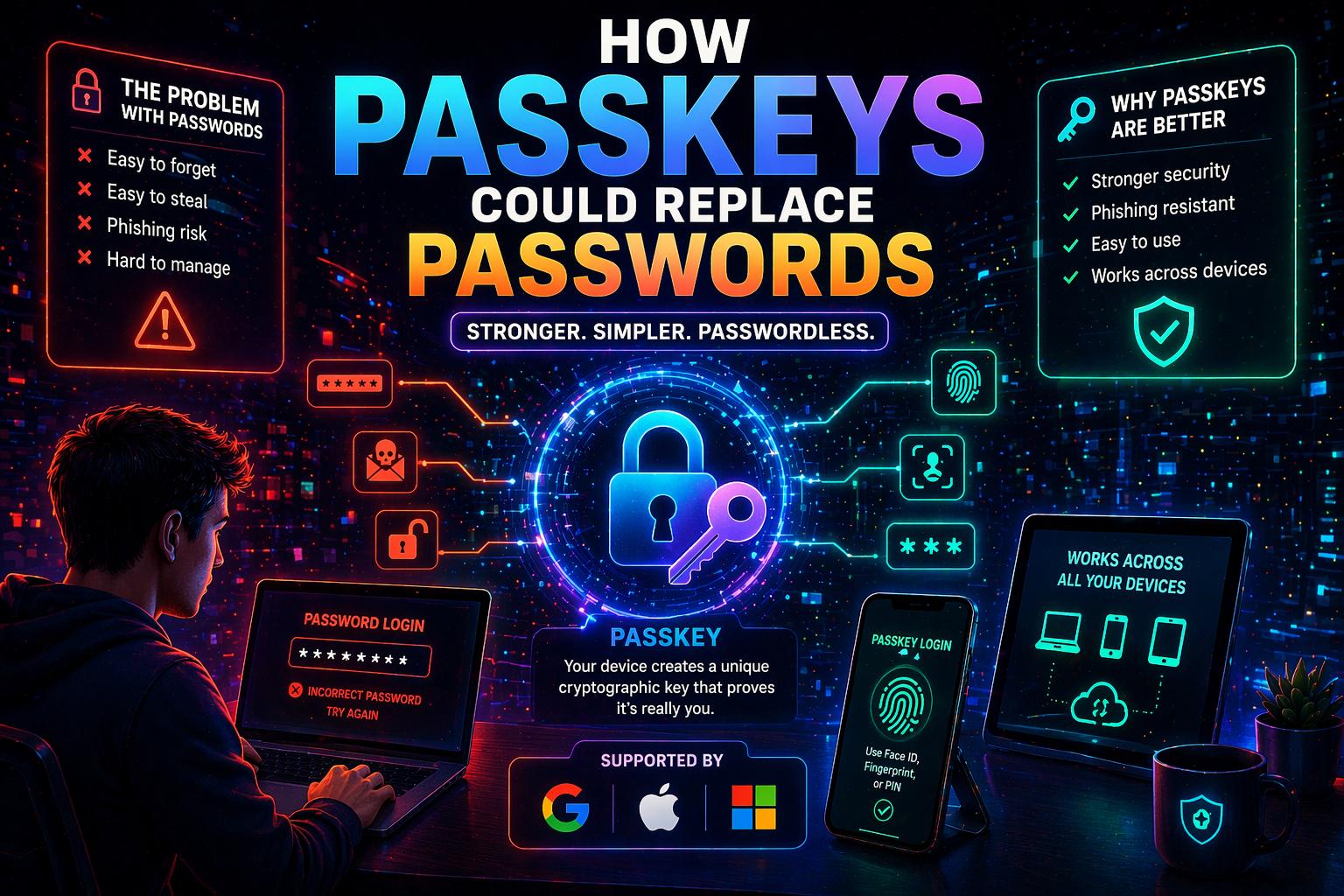
People have been using passwords to sign in on various online platforms for decades. In many ways, they are a standard part of the web and are everywhere. Unfortunately, passwords can be forgotten, reused, weak, stolen, and even phished from victims. As a whole, passwords have existed for years, but they have always remained far from ideal.
That is where the value of passkeys lies. They are actively promoted by popular platforms precisely because they are meant to offer sign-ins that are both more convenient and more secure. Instead of depending on remembering a complex sequence of characters, passkeys rely on signing in the way people unlock their devices, using a fingerprint, face scan, or PIN code. According to FIDO, passkeys are cryptographic credentials for account authentication, and Apple, Google, and Microsoft support them across platforms.
The definition of passkey
A passkey stands for a passwordless login. In technical terms, it represents the use of public key cryptography instead of having to enter a secret word onto a specific website. As FIDO explains, passkeys are used to log into someone’s account through the same method used to unlock a device. In other words, a passkey can be seen as the next step in authentication after passwords.
What is important about passkeys is that they require no memorization from users, since the passkey is automatically generated by a person’s device.
Why passwords are insecure
It is not difficult to identify the weak spot of passwords, which is their reliance on humans. On the one hand, the more sophisticated a password is, the harder it is to remember. On the other hand, simple passwords are prone to leaks. Furthermore, passwords become particularly vulnerable to phishing because they have to be manually entered on sites that may appear legitimate.
In contrast, passkeys are developed specifically to address these issues. Google points out that passkeys offer more protection against threats such as phishing. Microsoft defines passkeys as a simpler and more advanced way of authentication. Since the secret code does not have to be entered on a website, phishing becomes almost useless.
How passkeys function
Technically, creating a passkey involves generating a pair of cryptographic keys on the user’s device. The private key is stored on the user’s device, while the other is stored on the site or server of the service to which passkey access is provided. Then, when logging back in, the person needs to prove that they possess the private key. This requires unlocking the device, again through biometric verification or a PIN code. FIDO’s description of passkey authentication and generation is based on this principle.
This is what makes passkeys quite different from passwords. The private key stays on a person’s device rather than being stored on the website.
Why big tech companies promote them
Passkeys are no longer experimental. Google started implementing passkeys for Google Accounts, and later announced additional improvements, including syncing them between devices. Similarly, Apple implemented passkeys through iCloud Keychain and device authentication. Microsoft also introduced passkey sign-in for consumer accounts. The company describes passwordless sign-in as a new era in securing user accounts.
This is one of the main reasons why the topic deserves attention: Google, Apple, and Microsoft have all moved in the same direction.
How passkeys are used today
The main advantage of passkeys is their ability to simplify login procedures and increase security for frequently used accounts such as email, banking, and shopping. Passkeys are useful for both purposes since they eliminate the need to memorize difficult passwords and reduce the risks associated with password theft or phishing.
Additionally, passkeys allow for cross-device usage. According to Apple, passkeys can be synced through iCloud. Google mentions that passkeys can be synced through Google Password Manager. Microsoft also allows passkey usage for consumer accounts across a wide variety of major platforms.
This becomes another important point: replacing passwords only works when cross-platform capabilities exist.
Why passwords are still widely used
Despite their numerous advantages, passwords have not been phased out by passkeys yet. First of all, many sites and applications still lack support for passkeys. Secondly, some people are not familiar with the technology. Thirdly, passkeys may prove inconvenient because they involve changes to existing sign-in practices. Moreover, the transition to passkeys requires considerable effort to ensure proper usage across different platforms and in various situations.
Overall, the shift is obvious, but it has yet to become complete. Thus, passkeys are unlikely to replace passwords immediately. Most likely, passwords will be phased out gradually.
Takeaways
Passkeys could replace passwords because of the many advantages offered by this technology: they are more convenient, harder to hack, and rely on methods of device unlocking that are already familiar to users. That is why passkeys are such an effective replacement for passwords.
Of course, passwords are not going away soon. However, passkeys can become a common standard. The more widespread passkeys become across apps, devices, and platforms, the sooner people will regard passwords the same way they regard security questions now: familiar, but inefficient.
Sources
FIDO Alliance. Passkeys: Passwordless Authentication.
FIDO Alliance. How Passkeys Work.
Apple Support. About the security of passkeys.
Apple Developer. Passkeys Overview.
Google. Sign in with a passkey instead of a password.
Google Blog. Passwordless by default: Make the switch to passkeys.
Microsoft Support. What are passkeys and why they matter.
Microsoft Security Blog. New passkey support for Microsoft consumer accounts.